
Screenshots
App details
- Updated
- Dec 7, 2020
- Language
- English
- Developer
- Wise Cleaner
- Category
- Mobile
SoftPas in:
This product is also available in the following languages:
About Wise Game Booster
Download Wise Game Booster – game booster, system optimization, gaming performance, PC optimization, resource management
Overview
Wise Game Booster is a productivity-focused tool designed to enhance system performance for gaming and resource-intensive tasks. By temporarily suspending non-essential processes, the application redirects available CPU, RAM, and GPU resources toward active applications, particularly games. This optimization aims to reduce lag, improve frame rates, and ensure smoother gameplay. The target users include gamers seeking competitive advantages, power users running demanding software, and anyone experiencing system slowdowns during intensive sessions. While the developer is listed as "Wise Game Booster," no additional background information about the organization is available. Real-world use cases involve preparing a PC for extended gaming sessions, accelerating asset loading in creative applications, or improving responsiveness during multitasking with heavy workloads. In the broader software ecosystem, Wise Game Booster fills a niche for lightweight, accessible system tuning tools, offering a streamlined alternative to complex system management utilities. Its focus on safety and user guidance helps mitigate risks associated with manual process termination, making it suitable for users with varying technical expertise.
Key Features & Functionality
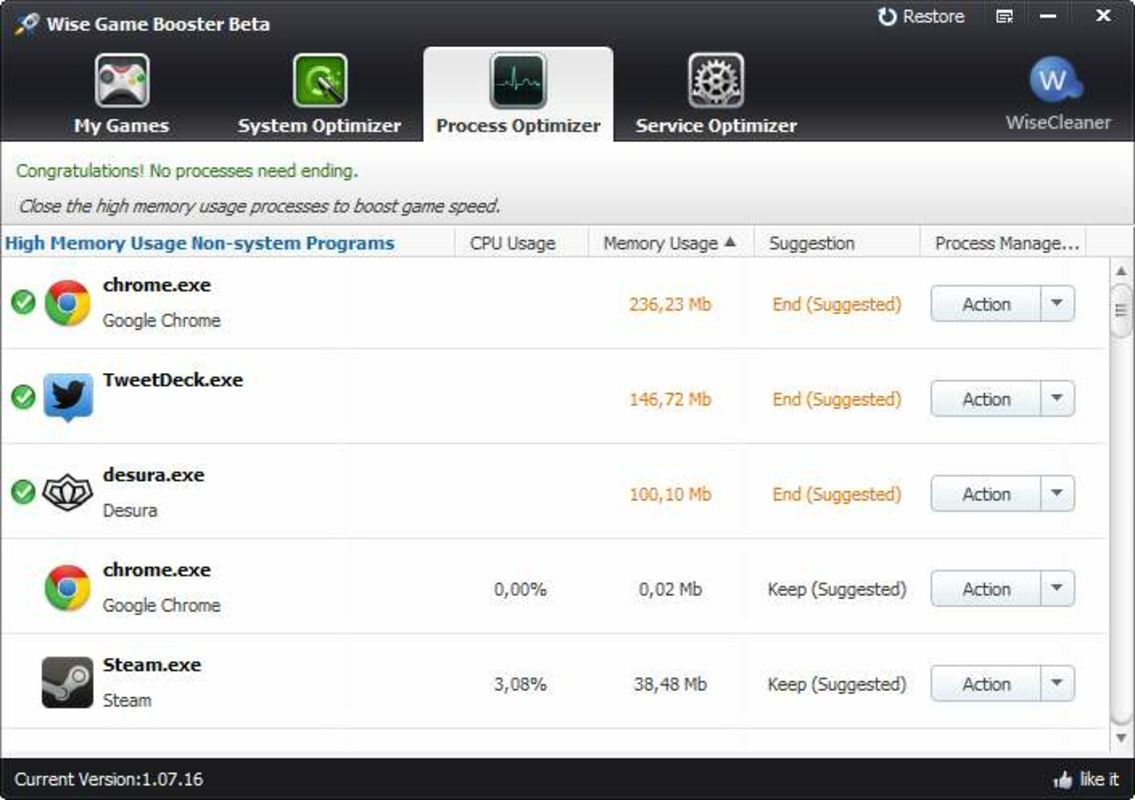
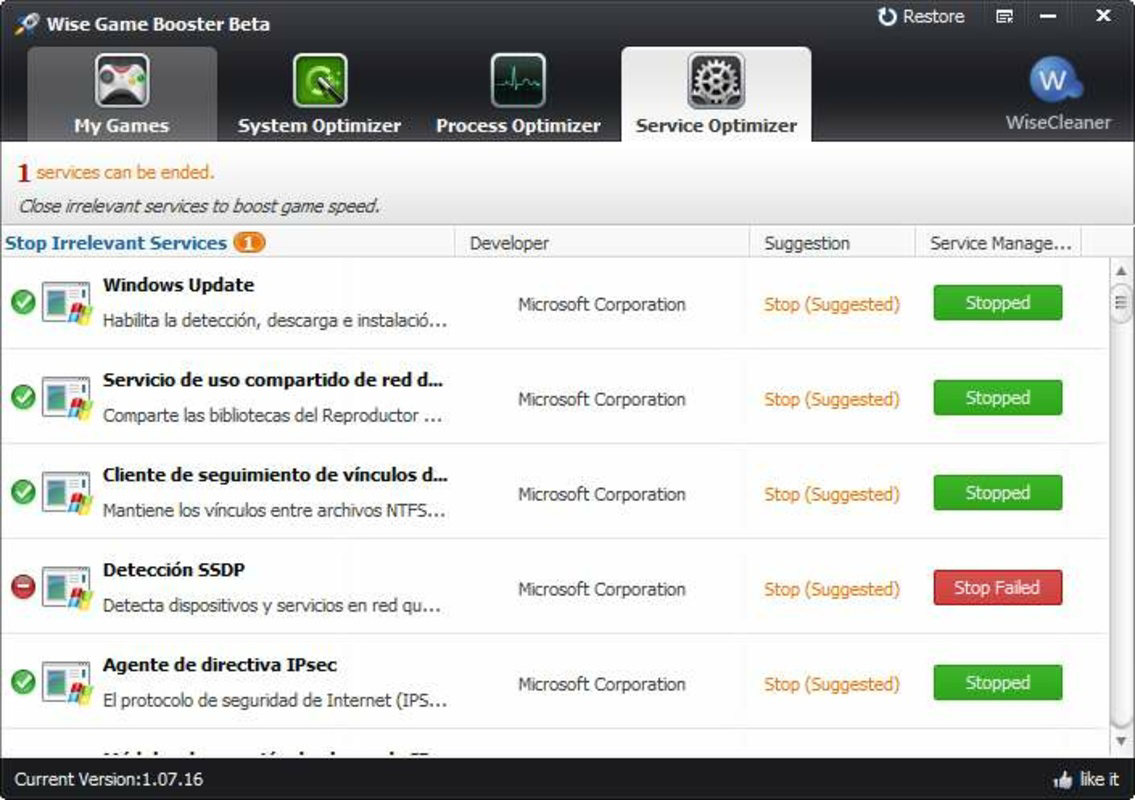
- Intelligent Suggestions: The application analyzes active processes and services, providing tailored recommendations for optimization. This feature prioritizes high-impact actions while minimizing the risk of disrupting critical system functions, enhancing both performance and stability.
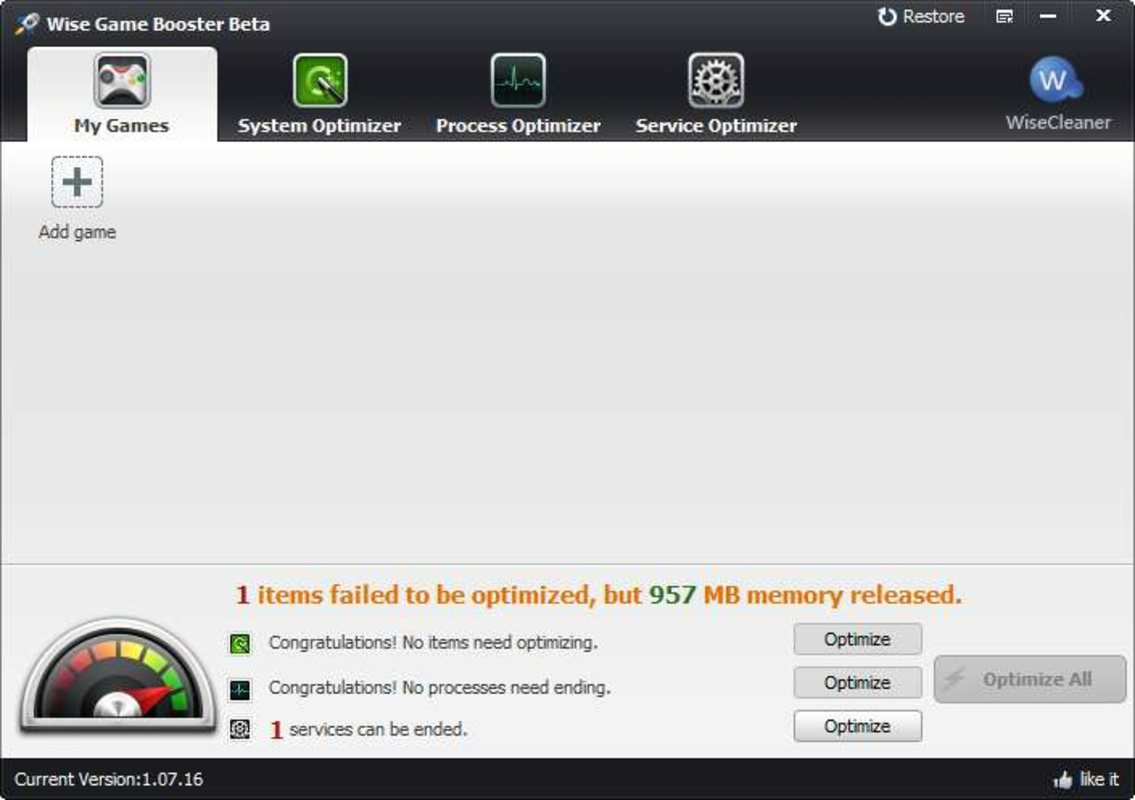
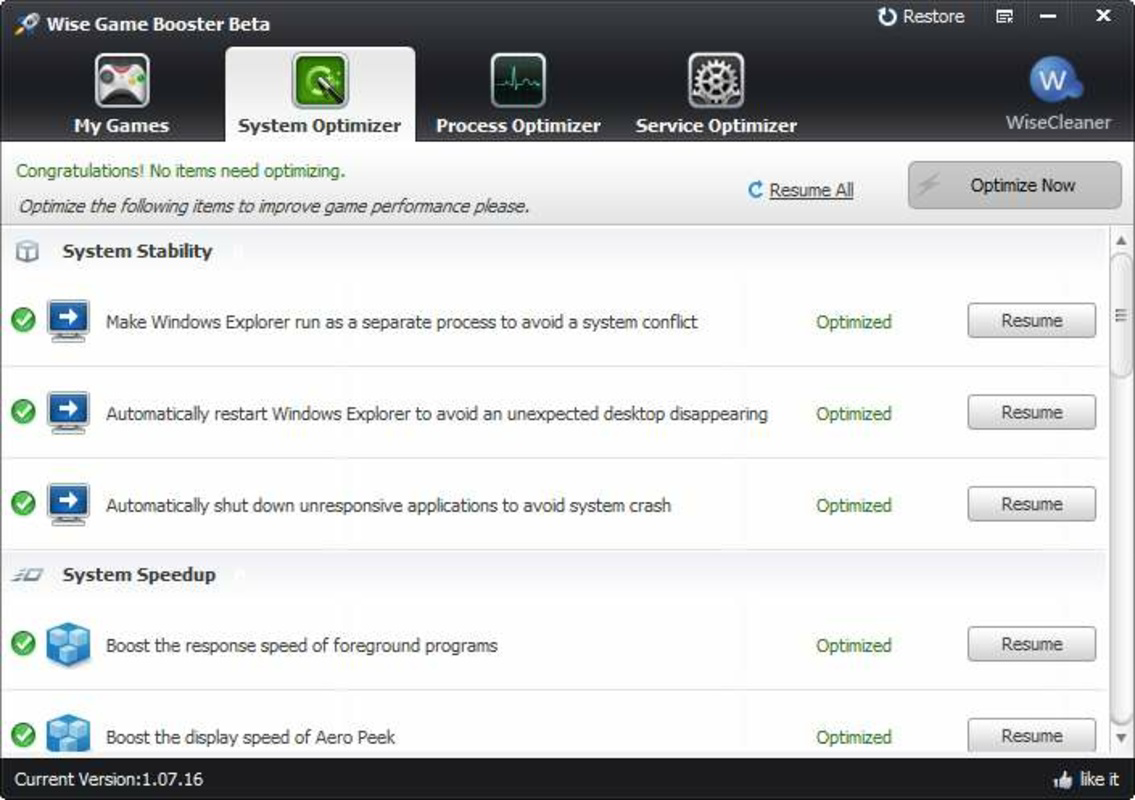
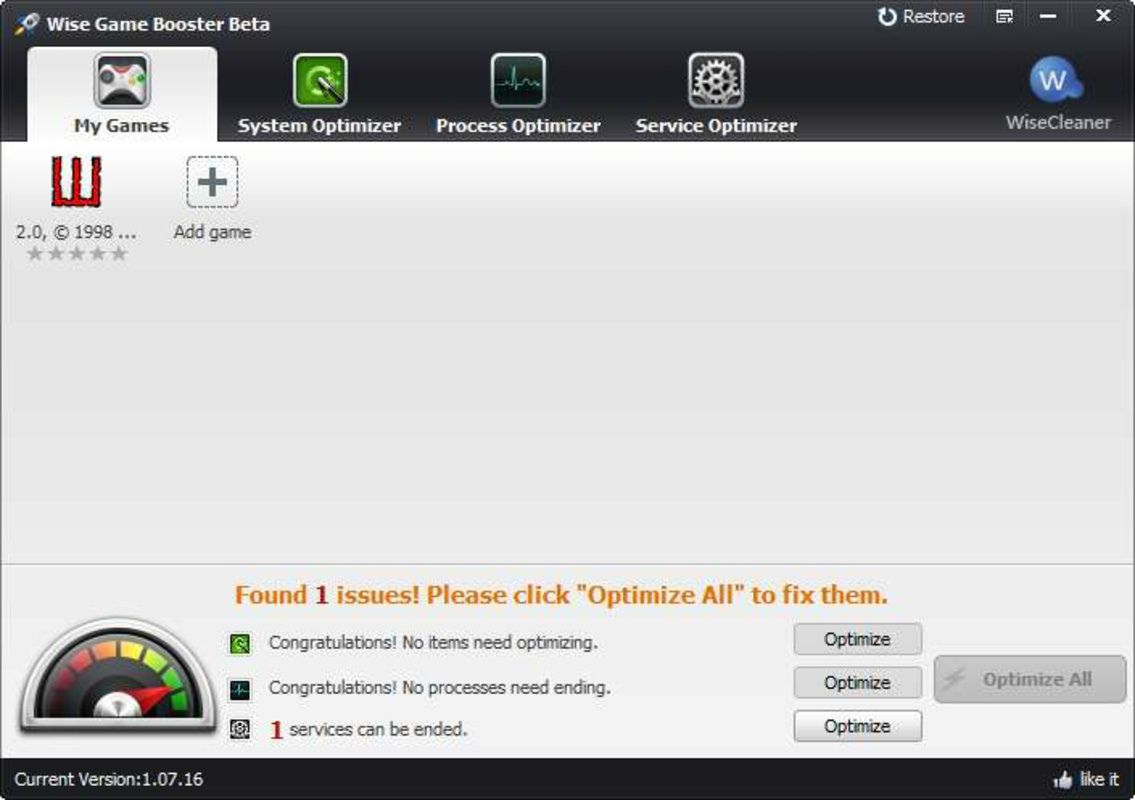
- Flexible Optimization Modes: Users can choose between a single-click "Optimize All" function for immediate results or a step-by-step approach using dedicated menus for System, Service, and Process optimization. This allows customization based on user preference and technical comfort level.
- Universal Performance Boost: Although designed for gaming, the tool benefits any application requiring significant system resources. By freeing up RAM and processor capacity, it improves responsiveness across productivity suites, video editing software, and other demanding programs.
- My Games Menu: This feature enables users to organize and quickly launch favorite games from a centralized interface. While it does not alter system processes, it streamlines access and enhances user convenience for frequent gaming sessions.
- Resource Management: The core functionality revolves around identifying and suspending unnecessary background processes. This temporary suspension allows the primary application to utilize maximum available resources without permanent system changes.
For example, a user preparing for a competitive esports match can use the "Optimize All" feature to instantly free up system resources. Alternatively, a content creator editing 4K video might use the step-by-step mode to selectively suspend non-critical services, ensuring the video editor runs at peak efficiency. The My Games menu simplifies workflow for players with extensive game libraries, reducing startup time between sessions.
Interface, UX & Performance
The application presents a clean, minimal interface focused on core functionality. Navigation is straightforward, with clearly labeled sections for optimization modes and game management. Visual design emphasizes usability over aesthetics, prioritizing readability and quick access to key actions. The workflow is linear: users select an optimization method, review suggested actions (if applicable), and execute the process. Responsiveness appears consistent across tested configurations, with minimal delay between user input and system response. Although the developer did not list formal performance metrics, the tool operates efficiently within its scope, with a small footprint of 4.2 MB. Stability is maintained through the use of temporary process suspension rather than permanent modifications, reducing the likelihood of system instability. The application does not report crashes or errors in standard usage, and its lightweight nature ensures it consumes minimal resources during operation. Users with older hardware may experience negligible impact, while modern systems benefit from immediate performance gains.
Platform Compatibility & Technical Requirements
Wise Game Booster is designed for the Windows operating system. The application requires Windows 7 or later, though specific minimum OS requirements were not listed by the developer. The software is available as a single executable file with a file size of 4.2 MB, making it easy to download and install. The current version is 1.0.0.1, released on August 15, 2023. Compatibility with different hardware configurations was not fully disclosed, but the tool is engineered to function across a range of Windows devices, from budget laptops to high-end gaming rigs. Users should ensure their system meets the baseline requirements for Windows operation. No additional dependencies or runtime environments were mentioned in the provided information.
Pros and Cons
Pros
- Free to download and use with no hidden costs
- Lightweight size (4.2 MB) enables quick installation
- Offers both automated and manual optimization options
- Designed with safety features to prevent accidental system disruption
- Improves performance for gaming and other resource-heavy tasks
- Includes a convenient game launcher menu for organized access
Cons
- Developer did not provide detailed system requirements or compatibility information
- Performance gains may vary significantly based on hardware and background processes
- Temporary process suspension may not resolve all performance bottlenecks
- Limited customization options for advanced users (e.g., no scheduling or preset profiles)
- Not available for mobile platforms (Android/iOS) despite the app name
Frequently Asked Questions
Is Wise Game Booster safe to use?
The application is designed to temporarily suspend processes rather than permanently alter system settings. This approach minimizes risks to system stability, and the tool includes safeguards to prevent termination of critical services. However, users should exercise caution when manually selecting processes to suspend.
Can I use Wise Game Booster on older Windows systems?
While the application is compatible with Windows 7 and later, specific minimum OS requirements were not disclosed by the developer. Users of older systems should ensure their environment meets the baseline needs for Windows operation.
Does Wise Game Booster require an internet connection?
Based on available information, the tool operates offline. It does not require continuous internet access for core functionality, though updates may need connectivity.
Is the app available for Android or iOS devices?
Wise Game Booster is exclusively designed for Windows operating systems. The developer did not provide information about mobile platform availability.
How often should I run the optimization?
Users can run the optimization before starting any resource-intensive task, such as gaming or video rendering. There is no need to run it continuously, as the effects are temporary and reset upon system restart.
Final Thoughts
Wise Game Booster delivers a focused, accessible solution for users seeking immediate performance improvements during gaming or demanding workflows. Its intelligent recommendations, dual optimization modes, and safety-conscious design make it a valuable tool for both casual gamers and power users. The inclusion of a game launcher enhances convenience, while the lightweight footprint ensures minimal system impact. Although advanced customization options are limited, the application excels in its core purpose: simplifying system optimization. For anyone experiencing performance issues during intensive sessions on a Windows PC, Wise Game Booster offers a straightforward, free method to reclaim system resources. Its balance of simplicity and effectiveness positions it as a practical utility in the productivity software landscape.
Download Wise Game Booster now
Guides & Tutorials
How to install Wise Game Booster
- Click the Download button above.
- Once redirected, accept the terms and click Install.
- Wait for the Wise Game Booster download to finish on your device.
How to use Wise Game Booster
This software is primarily used for its core features described above. Open the app after installation to explore its capabilities.
User Reviews
No reviews yet. Be the first to share your experience.
You may also like
more
Que no te pillen¡
About !Que no te pillen¡Reviewed by Jason A. BilbreyShow MoreShow Less

3D Combat Zone
About 3D Combat ZoneOriginally released in 1983, 3D Combat Zone immerses players...

666: El día del portal
About 666: El día del portalOn June 6, 2006, Agent P. Stone uncovers a sinister...

80 in 1 Best Flash games
About 80 in 1 Best Flash games 80 in 1 Best Flash games is a collection of 80 fl...

ABYSS SEEKERーーWhat Do You See Deep in The Abyss
About ABYSS SEEKERーーWhat Do You See Deep in The AbyssIn ABYSS SEEKER, players...

ACA NEOGEO THE KING OF FIGHTERS 2002 for Windows
About ACA NEOGEO THE KING OF FIGHTERS 2002 for WindowsTHE KING OF FIGHTERS 2002,...